![TD-Logos-06.png]](https://knowledge.techdefenders.com/hs-fs/hubfs/TD-Logos-06.png?height=48&name=TD-Logos-06.png)
MPN stands for Manufacturer Part Number and is a unique set of numbers or letters issued by device manufacturers to identify individual products.
Scroll through the bullets below to find instructions for locating MPN's for the following devices: Apple, Acer, ASUS, Dell, HP, Lenovo, Samsung
If you still need help finding your MPN, contact your rep or support at support@techdefenders.com
- APPLE
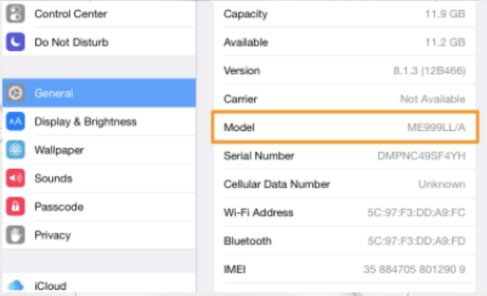
Typically, Apple MPN’s can be found by opening the settings icon on the device and selecting general. The MPN will be listed next to Model.
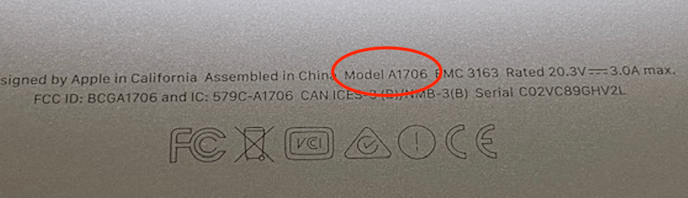
If you can't find it in the general settings, flip the device over and check the back. You should see, in small print, information about the device. The MPN should be the Model
Chromebooks
On most chromebooks, you should be able to check the back cover to find the MPN
- ACER
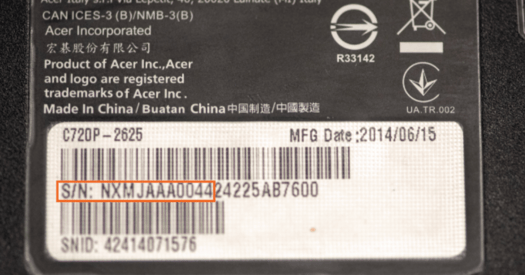
Acer MPN’s can be found on the bottom of the device. The MPN will be the first 10 digits of the serial number.
- ASUS
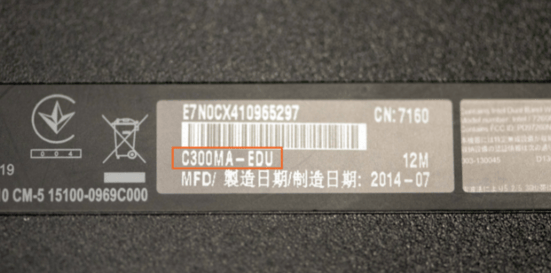
Asus MPN’s are located on the bottom cover of the device, under the barcode.
- DELL
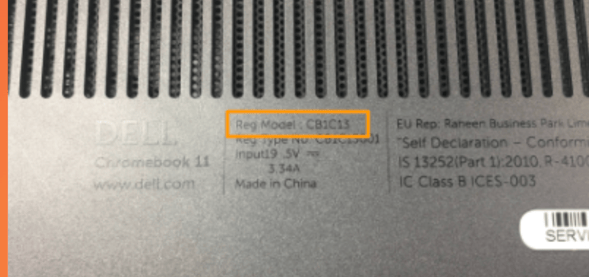
Dell MPN’s are located on the bottom of the device, under the fan, next to Reg. Model.
- HP
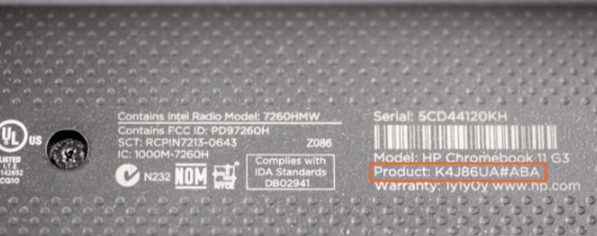
HP MPN’s are on the bottom cover of the device next to product.
- LENOVO
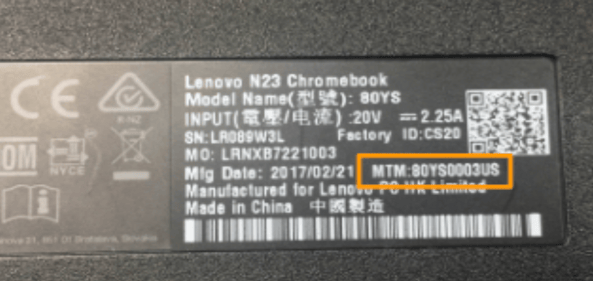
Lenovo MPN’s are located on the bottom cover of the device listed next to MTM.
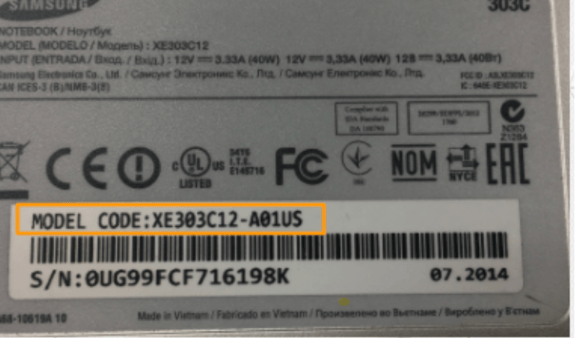
- SAMSUNG